Windscribe: Fast & Secure VPN
- 4.7
- Rating
- 10.00M
- Installs
- Free
- Price

 Analysis by App-foxy
I use a VPN when I want a little more control over how my phone connects to the internet, especially on public Wi-Fi or while travelling. Windscribe: Fast & Secure VPN makes a strong first impression because it keeps the basic experience straightforward: install it, choose a location, and connect. My overall view is positive, but with an important qualification. It is an approachable privacy tool for everyday browsing, yet it is not a magic shield that makes every online activity anonymous or every connection equally fast.
That balance matters. The app is free to install, belongs in the tools category, and comes from Windscribe. It has built a sizeable audience, with more than ten million installs and an average rating of 4.6 from roughly 280 thousand ratings. Those figures suggest that the app is easy enough for many people to adopt, but they should not replace a practical look at how it fits into your routine.
What using Windscribe feels like in everyday life
The first useful quality is the low barrier to entry. I do not need to understand networking terminology before I can make sense of the main screen. That is important for anyone who wants encrypted browsing without turning a simple phone task into a technical project. The central workflow is familiar: open the app, select a server location, and establish the VPN connection before browsing.
You May Also Like

 Blood Strike: 2.5 Anniversary
Blood Strike’s Loadouts Turn Every Drop Into a Tactical Gamble
A close look at Blood Strike’s custom loadouts: how fast access to signature weapons reshapes its battle royale rhythm, rewards preparation, and narrows the gap between fights.

 Pandora - Music & Podcasts
Pandora’s Music Is Easy to Start, but Harder to Recover
Pandora’s strength is its low-effort path from a seed to a station. Its weak spot is how much confidence it asks you to place in connection, setup, and quiet recovery.

 8 Ball Pool
 Is Built on Rivalries, Rematches, and Routine
A close look at the rivalries, rematches, shared routines, and unanswered safety questions that turn a quick pool match into a persistent mobile community.

 Samsung Music
’s Quiet Strength Is Playing What You Already Own
Its reach comes less from spectacle than from dependable access to a personal library. That simplicity is both the app’s strongest retention engine and its ceiling.

 AccuWeather: Weather Radar
AccuWeather Review: A Quick, Clear Forecast for Everyday Decisions
For everyday plans, the best forecast is the one you can understand quickly. AccuWeather makes rain timing, radar, and local conditions easy to act on, with a few trade-offs.

 Hill Climb Racing
Why Hill Climb Racing Still Turns Crashes Into One More Run
A tiny car, a bumpy hill and one more upgrade: Hill Climb Racing keeps resurfacing because its simple chaos makes every near-miss feel personal.
More From Our News Desk



I find this especially useful in a realistic café scenario. Imagine that I am waiting for a train, connect to the venue’s Wi-Fi, and need to check email or access an account. I can open Windscribe first, connect, and then continue with a greater degree of protection for the traffic moving between my device and the VPN service. I still need to use sensible habits, such as checking that the network is genuine and avoiding suspicious links, but the VPN becomes a quick step in my routine rather than a complicated security ritual.
The app’s appeal also comes from its flexibility. Some people want a VPN permanently available; others only want it for airport Wi-Fi, hotel networks, or a short browsing session. Windscribe works better for the second group than tools that bury the connection control beneath several menus. I can treat it as an occasional privacy switch instead of something that has to dominate the phone’s settings.
There is a useful distinction between privacy and anonymity here. A VPN can encrypt the connection between the device and the VPN service, which helps reduce the exposure associated with an untrusted local network. It does not erase the identity I reveal when I sign in to a website, and it does not make unsafe downloads or careless account practices safe. I would recommend Windscribe as one layer in a broader privacy routine, not as a substitute for strong passwords, device updates, and careful browsing.
Where the app earns its reputation
The strongest part of Windscribe is the combination of accessibility and a clear purpose. Many VPN apps make ambitious promises and then overwhelm new users with technical choices. This one is easier to approach as a daily tool. I can understand why it has attracted such a large user base without needing to assume that every user is a networking enthusiast.
Its encrypted browsing focus is also practical rather than abstract. When I am using a network I do not fully trust, I want a visible indication that the VPN is active before I begin entering information. That simple sequence—connect first, browse second—is more valuable than a long list of advanced terminology that I will never use. The app encourages a repeatable habit.
Another strength is that the free entry point makes experimentation less intimidating. Someone who has never used a VPN can try the basic experience without committing money immediately. That is a meaningful advantage over services that require payment before a new user can decide whether the interface, connection process, and location options suit them.
Windscribe is supported by optional in-app purchases, ranging from $3.99 to $94.99 per item. I see that range as a sign that the app is designed to serve both casual users and people who may want a more extensive plan. The important practical question is not simply whether paid choices exist, but whether I actually need them. For occasional protection on public networks, the free starting point may be enough. For heavier use, I would examine the available plan details carefully before paying, rather than assuming that every paid option offers the same value for my needs.
The app is also suitable for a broad audience from an age-rating perspective. It is marked for Everyone, which fits its role as a general-purpose connection and privacy utility rather than entertainment software. That does not mean every online destination becomes appropriate for every person, but the app itself is presented as a broadly accessible tool.
Small habits that make it more useful
My first tip is to connect before opening the sensitive app, not after. If I launch a browser, email client, or shopping app first and only then activate the VPN, some initial connection activity may already have taken place outside the protected tunnel. Making Windscribe the first step is a simple workflow improvement that costs almost no time.
My second tip is to choose consistency over constant switching. A nearby or familiar location is often more convenient for normal browsing than changing servers repeatedly just to explore the list. Frequent switching can complicate websites that notice a changing location, and it may force extra verification steps on accounts. I would change location for a clear reason, such as a connection problem or a need to appear in a different region, rather than treating every new server as automatically better.
My third tip is to test the apps that matter after connecting. A VPN can affect services that rely on location, local network discovery, banking checks, or unusual login patterns. I would connect Windscribe, open the specific service I need, and confirm that it still behaves normally. This is more useful than assuming that a successful VPN connection guarantees compatibility with every app on the phone.
A fourth practical insight is to remember the battery and performance trade-off. Routing traffic through another service can add overhead, and the most distant location is not necessarily the best choice for ordinary browsing. If I am reading articles or checking messages, I prefer a stable, sensible connection. If I am trying to make a latency-sensitive call or play an online game, I may temporarily disconnect if the VPN introduces noticeable delay and the network itself is trusted.
The limitations I would not ignore
The biggest weakness is that “fast” cannot mean identical performance in every situation. Speed depends on the selected location, the local network, congestion, the phone, and the service I am accessing. Windscribe can make browsing feel perfectly comfortable in one setting and less convenient in another. I would not choose a VPN with the expectation that it will improve a poor hotel connection or remove lag from every online game.
There is also friction around location-sensitive services. Streaming platforms, banking apps, ticket sites, and shopping services may react differently when the connection appears to come from another place. Sometimes that is useful; sometimes it produces a security check, a different catalogue, or a blocked session. This is not a defect unique to Windscribe, but it is a reason I would avoid leaving the VPN enabled automatically when using services that depend heavily on my normal location.
The free model can create another trade-off. Free access is excellent for trying the service and for occasional use, but people with demanding, continuous VPN needs should look closely at what the free experience permits before building their entire routine around it. If I need a VPN for work every day, frequent travel, or many devices, I would compare the paid choices and competing services instead of assuming that the entry-level option will cover everything.
Privacy tools also require trust. A VPN changes which party handles part of my internet traffic; it does not make trust disappear. I would therefore avoid treating the app as a reason to ignore ordinary security precautions. I would still use encrypted websites, keep operating systems current, enable account protection where available, and avoid sending sensitive information through suspicious pages. Windscribe can strengthen a connection, but it cannot judge whether a website is honest.
Another limitation is that a VPN may interfere with local features. Devices on the same home network may not always behave as expected when traffic is routed through a VPN, and local services can become less convenient when the phone appears to be somewhere else. If I am casting media, connecting to a local printer, or troubleshooting a smart-home device, I may need to disconnect temporarily. That kind of interruption is manageable, but it means the app is not something I would blindly leave on for every task.
Who should use it, and who should look elsewhere
I think Windscribe is a good fit for a first-time VPN user who wants a clear way to protect browsing on public Wi-Fi. It also suits travellers who want a familiar privacy step across hotels, cafés, and transport hubs. Students, remote workers, and people who regularly use shared networks may appreciate having a tool that is quick to activate without requiring specialist knowledge.
It is also a reasonable choice for someone who wants to try a VPN before paying. The free installation and accessible design reduce the risk of spending money on a service that turns out to be confusing or unnecessary. I would begin with a few real situations—such as connecting at a café or hotel—and then decide whether the experience justifies a paid purchase.
I would be more cautious about recommending it to a person whose main goal is maximum speed for competitive gaming. Even a good VPN can add distance and processing between the phone and the game server. In that case, a direct connection may be better whenever the network is trusted. Likewise, someone who needs a business-managed VPN, centralized workplace controls, or specialized corporate access should look at a solution designed for that environment rather than a general consumer app.
People focused primarily on accessing location-restricted media should also compare alternatives carefully. A VPN’s ability to connect through another location does not guarantee that every platform will accept the connection, and services can change their detection methods. Windscribe may be useful in some cases, but I would not buy it solely on the assumption that it will unlock every catalogue or website.
Compared with the usual alternatives in the VPN category, Windscribe’s clearest advantage is approachability. Some competitors emphasize a polished, highly guided experience; others target advanced users with extensive configuration. Windscribe sits in a practical middle ground: it is easier to start with than a specialist networking tool, while still being more purposeful than a vague “security booster” app. The trade-off is that users with very specific performance, business, or location requirements may prefer a service whose strengths are built around those exact needs.
Compatibility, cost, and what to expect
The app was released on November 3, 2017, and the current Android version is 4.0.2218. It supports Android 5.0 and later, so it remains accessible to people using older Android phones that are still compatible with that system requirement. I would still keep the operating system updated whenever possible, because VPN protection cannot compensate for an outdated device with broader security weaknesses.
Windscribe is free to download, with optional purchases inside the app. I like that this lets me evaluate the connection workflow before making a commitment, but I would read the purchase screen carefully and decide based on actual usage. A person who only activates a VPN occasionally may have no reason to pay immediately, while a frequent traveller or full-time remote worker may find the paid route more appropriate after testing the service.
One question I would ask before installing is whether I want protection for every connection or only selected moments. For occasional use, the app is easy to justify. For constant use, I would test battery impact, the behaviour of banking and streaming apps, and the reliability of the locations I expect to use. That short trial tells me more than a generic promise about speed.
Another question is whether a VPN is needed on a particular network. On a trusted home connection, the benefit may be less noticeable than on an open public hotspot, although privacy preferences differ. I would use Windscribe most deliberately where the network itself is outside my control, rather than turning it into an automatic answer to every internet problem.
Finally, I would ask whether the app solves my actual concern. If the concern is protecting traffic from other people on a shared network, Windscribe is relevant. If the concern is malware, phishing, a compromised account, or a website collecting information after I log in, the VPN addresses only part of the problem. Understanding that boundary is what turns the app from a misleading promise into a useful tool.
My verdict after weighing the trade-offs
Windscribe: Fast & Secure VPN is a sensible recommendation for everyday privacy, especially for people who want a simple connection routine and a free way to get started. I like its approachable design, its usefulness on public Wi-Fi, and the fact that it can fit into a normal phone workflow without demanding technical expertise. Its broad adoption and 4.6 average rating reinforce the impression that it works well for many ordinary users.
Still, I would not describe it as universally ideal. Connection speed can vary, location-sensitive services may become awkward, and advanced or business users may need a more specialized alternative. The optional purchases also deserve a careful look before committing to a long-term setup.
My recommendation is straightforward: try Windscribe if you want an accessible VPN for travel, cafés, hotels, and general browsing, then judge it by the services and networks you actually use. Keep your expectations realistic, connect before handling sensitive tasks, and disconnect when the VPN creates compatibility or latency problems. For that audience, it is a useful privacy layer rather than an overcomplicated project—and that is exactly where it makes the most sense.
FAQs for Windscribe: Fast & Secure VPN
01What platforms is Windscribe VPN available on?
Windscribe VPN is available on a wide range of platforms including Windows, macOS, Linux, iOS, and Android. Additionally, it offers browser extensions for Chrome, Firefox, and Opera. This makes it versatile for users who want to secure their internet connection across different devices and operating systems.
02How does Windscribe VPN ensure my online security?
Windscribe VPN uses strong encryption protocols such as AES-256 to protect your data. It also implements IP and DNS leak protection, a kill switch feature, and a strict no-logs policy. These features work together to ensure that your online activities remain private and secure from potential hackers or data snoopers.
03Does Windscribe VPN offer a free version?
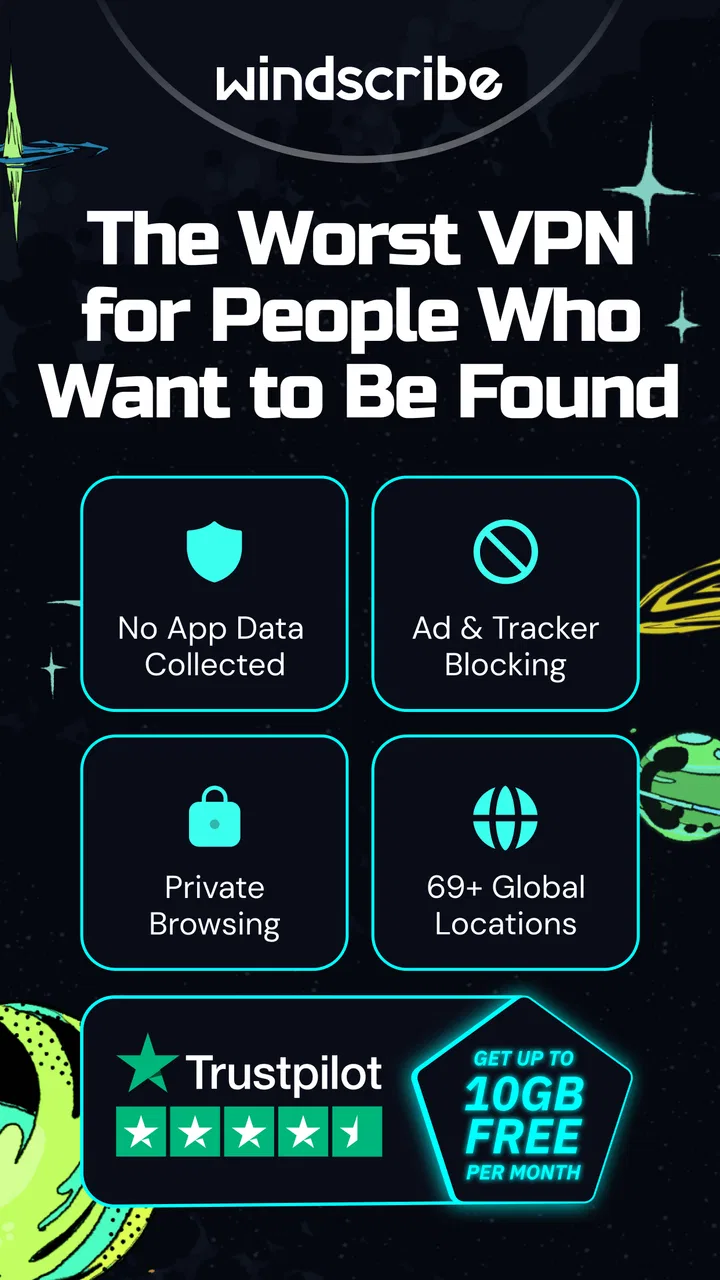
Yes, Windscribe VPN offers a free version that provides 10GB of data per month. While this is generous compared to other free VPNs, the free version has some limitations such as access to fewer server locations. Users who need more data or access to all features can opt for a paid plan.
04Can I use Windscribe VPN to access geo-restricted content?
Windscribe VPN is effective at bypassing geo-restrictions, allowing users to access content that may be unavailable in their region. It offers servers in over 60 countries, enabling users to appear as if they are browsing from a different location, which is useful for streaming services and other region-locked content.
05What is the customer support like for Windscribe VPN?
Windscribe VPN provides customer support through a variety of channels including a comprehensive help section on their website, email support, and a chatbot for immediate assistance. Users have reported mixed experiences, but many find the resources and support provided to be satisfactory for resolving common issues.
Pros
- Easy to use interface
- even for beginners.
- Offers a generous free plan with 10GB monthly.
- Supports multiple devices simultaneously.
- Strong encryption ensures top-notch security.
- No-log policy enhances user privacy.
Cons
- Limited server locations on the free plan.
- Occasional speed drop during peak times.
- Some features are premium-only.
- No 24/7 customer support available.
- Ad-blocker might be inconsistent.

Windscribe: Fast & Secure VPN
Gallery